
Forms – Default View Improvements
We’re excited to share the latest improvements to the Forms interface, designed to enhance usability, speed, and navigation for all users.
What’s New
Unified Question View
All form questions now appear in a single, scrollable list, making it easier to review and complete forms without switching between sections.Simplified Media Uploads
The media upload options have been relocated to the top of the form, allowing users to attach photos or videos more quickly and efficiently.Real-Time Answer Submission
Answers are now saved automatically in real time as users fill in the form — reducing the risk of data loss and ensuring smoother workflows.
How It Works
Scrolling on Form Page
Media uploadad is located at the top .Where User can add the media using the "+" button.on . All the images loaded will appear in descending order ( newest to oldest ) . However , we nowhave an option for user to select the order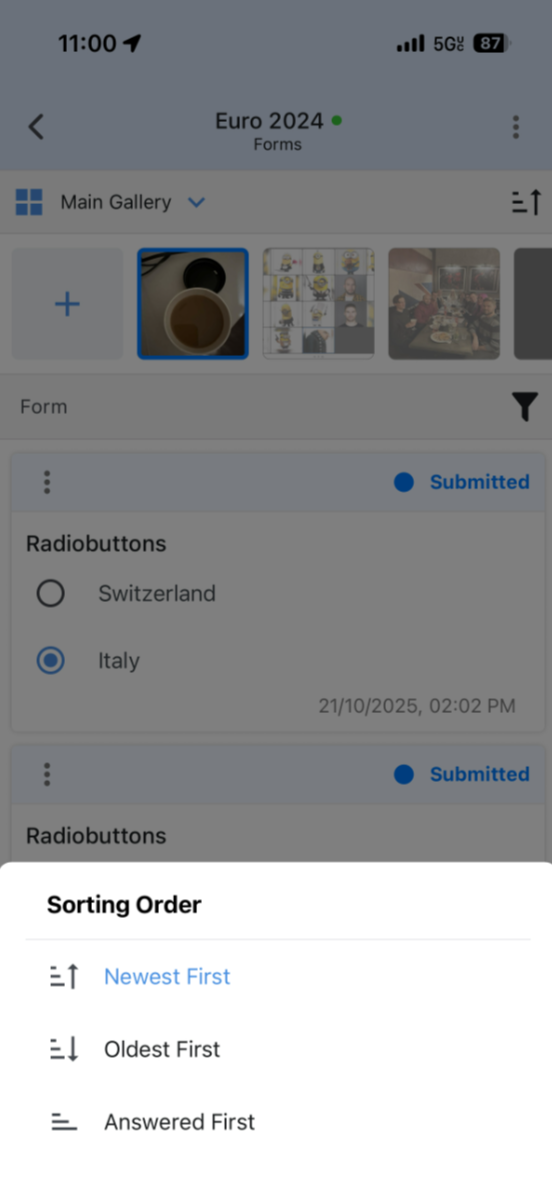
Verifying Image-to-Question Association
When an image is linked to a question, a blue frame appears around the selected page.
Once the question is answered, that page becomes associated with the question.
Upon reopening the form, a green check mark confirms the saved association.
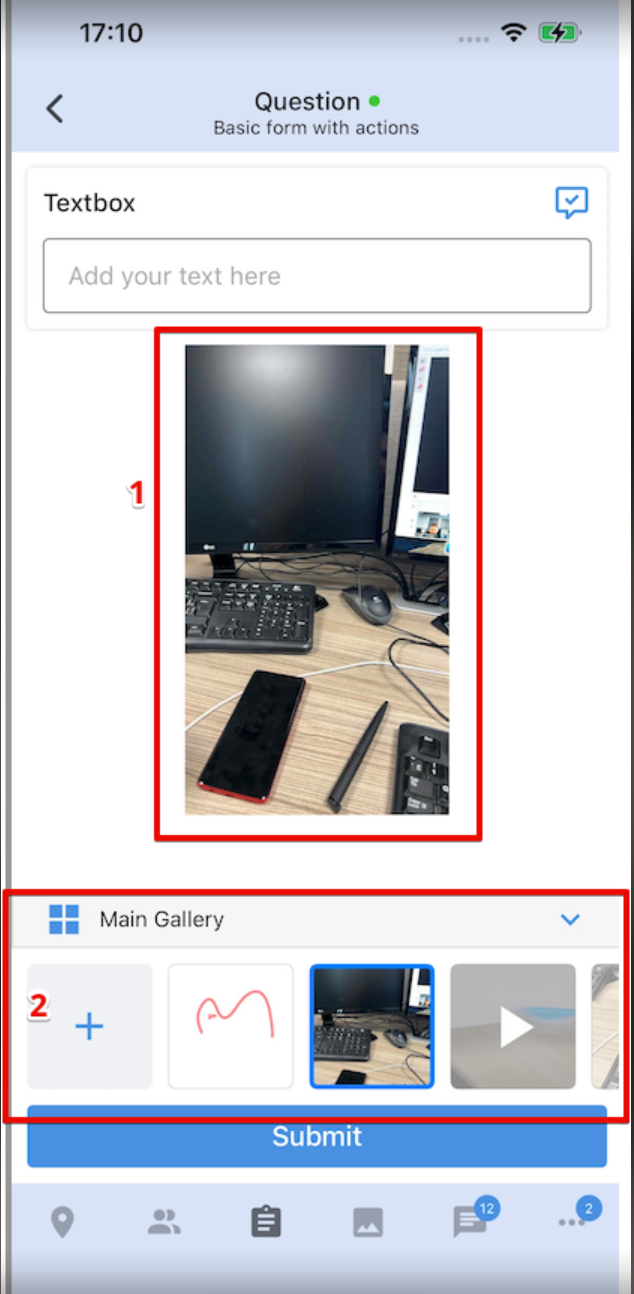
Upcoming : Based on user/customer demand . Preview of the selected page is coming back on Mobile phone. It will look like below ( In dev now ). Release - TBD
Additional Updates
The core logic of the form remains the same — only the layout and navigation have been improved for a cleaner, list-based experience.
Each question’s “…” menu now includes a “View Answers” option, allowing users to see both the associated page and the responses provided.
These enhancements are part of our ongoing effort to streamline the field experience and make data capture faster and more intuitive.
Thank you for your continued feedback and support!